> ## Documentation Index
> Fetch the complete documentation index at: https://injectivelabs-mintlify-25e241d4.mintlify.site/llms.txt
> Use this file to discover all available pages before exploring further.
# マーケットの立ち上げ
マーケット立ち上げの前提条件として、[トークンの立ち上げ](/jp/developers-defi/token-launch/) を行ってください。
Injective上にトレーディングペアを立ち上げるのは、迅速かつ簡単で、何よりパーミッションレスです!
以下のチュートリアルでは、EthereumからbridgeされたERC-20トークンをbase asset、INJをquote assetとしたペアをリストすることを前提としています。
Injectiveネイティブのトークンの場合は、bridging部分をスキップして手順6から始めてください。
1. [Injective Bridge](http://bridge.injective.network/) にアクセスし、Peggy bridgeを使って選択したERC-20トークンをEthereumからInjectiveへbridgeするプロセスを開始します。
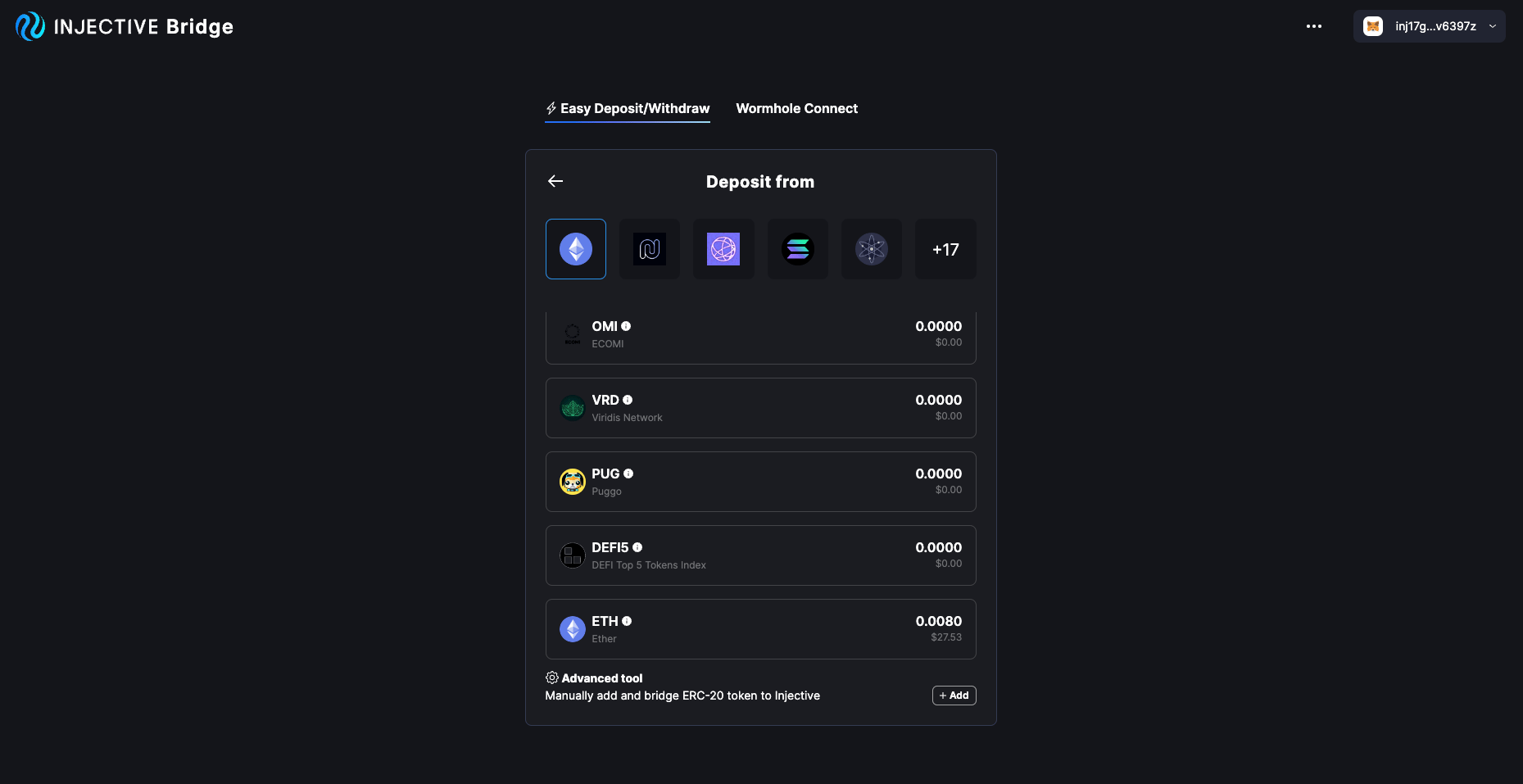
 2. ドロップダウンをクリックし、最下部までスクロールして、advanced toolの隣の「add」をクリックします。トークンアドレスを使ってカスタムERC-20トークンを追加できます。アドレスはCoinGeckoのような信頼できる情報源で確認することを推奨します。
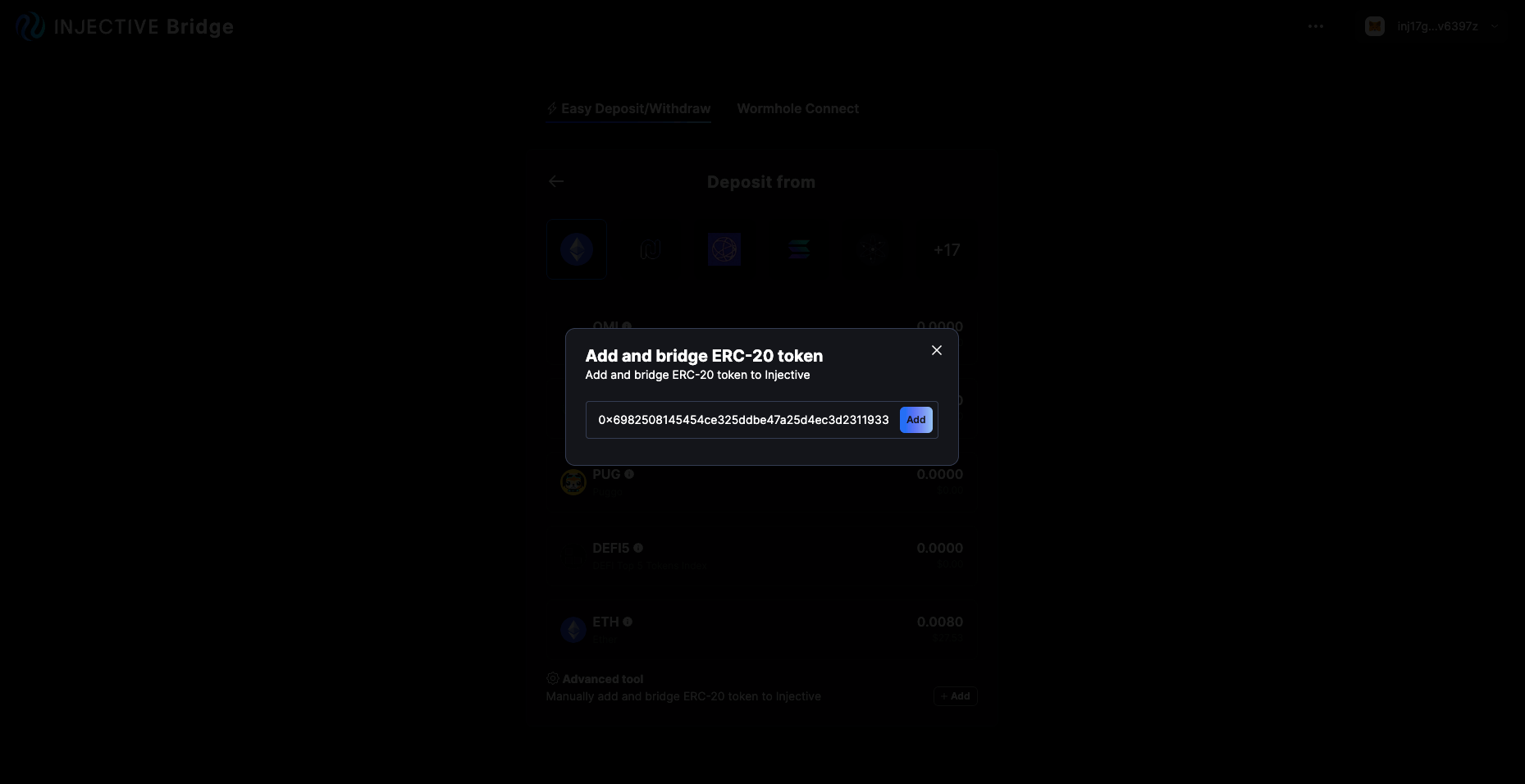
 3. 正しいコントラクトアドレスをコピー&ペーストし、「add」をクリックします。
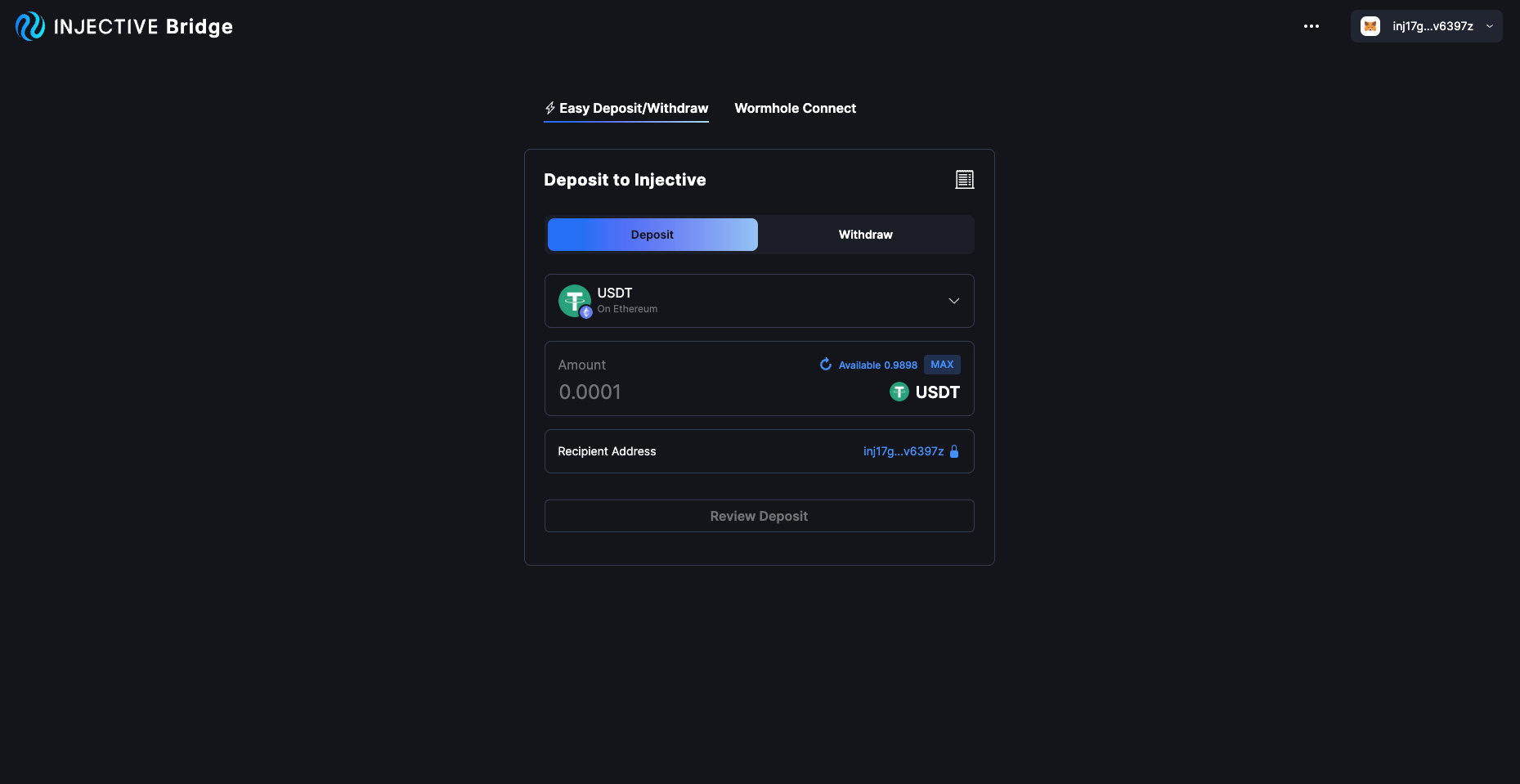
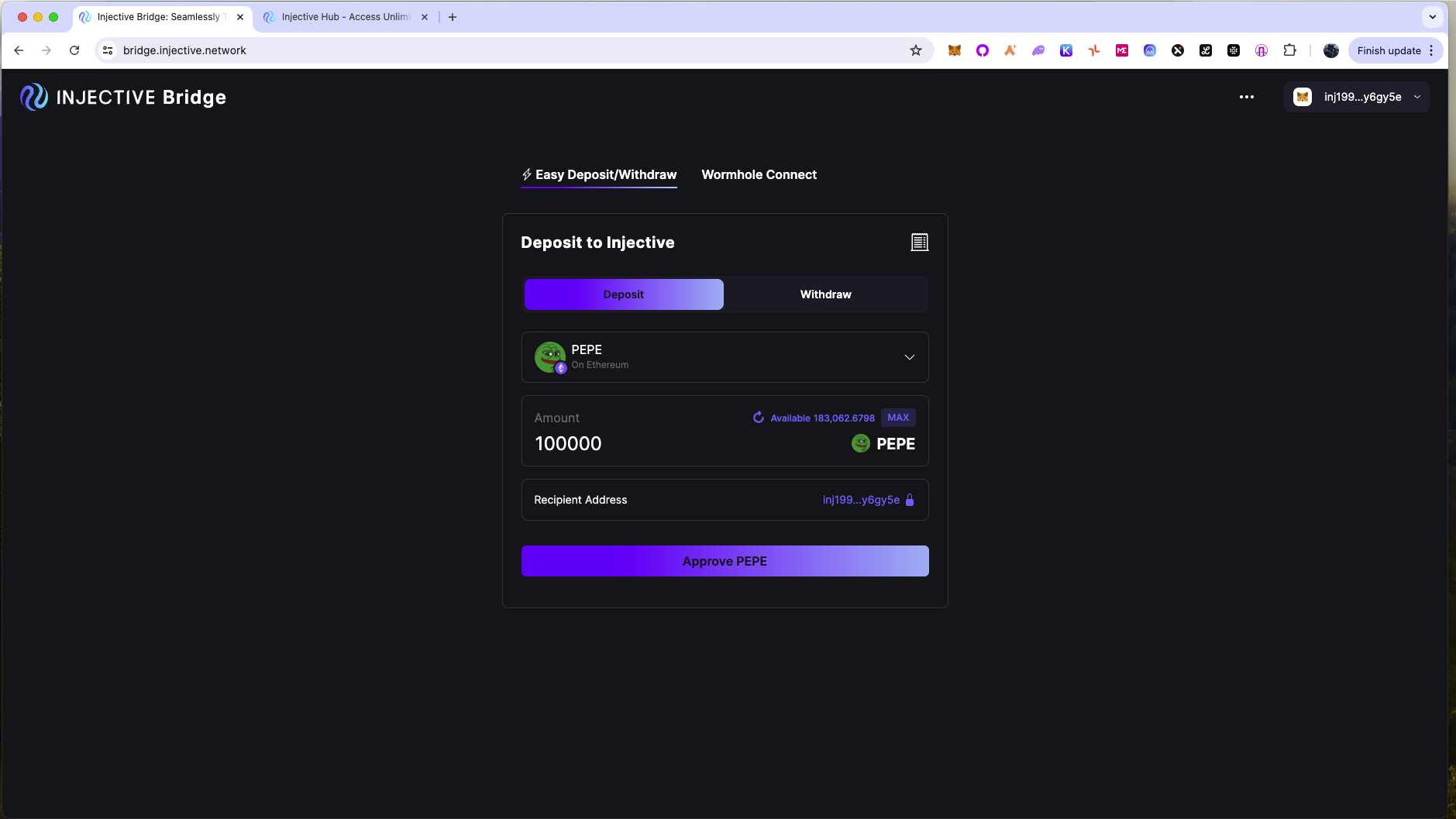
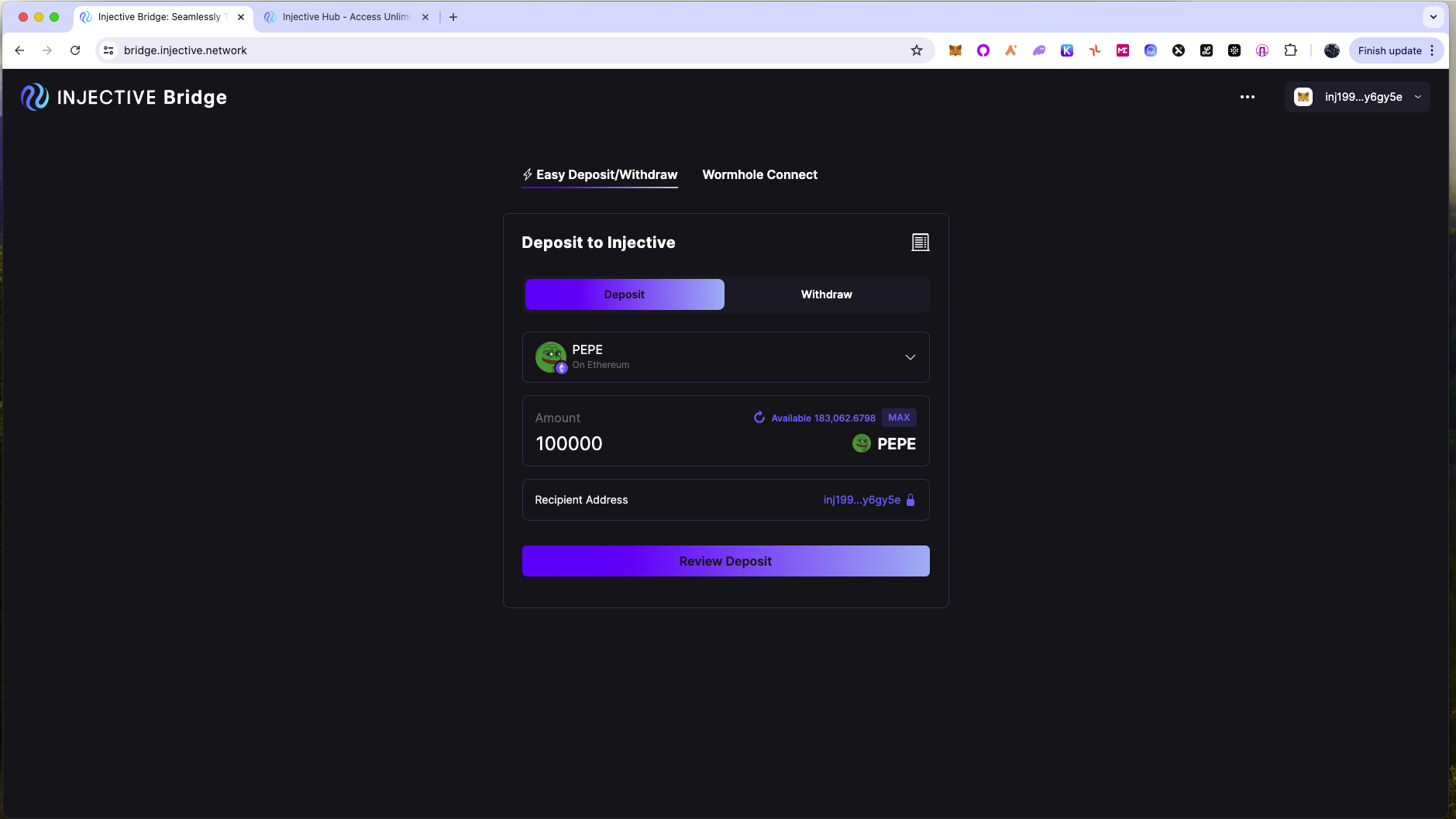
 4. bridgeしたいERC-20トークンの量を入力し、「approve」をクリックしてトランザクションを承認します。続いて「review」をクリックし、トランザクションを承認して待機します。
  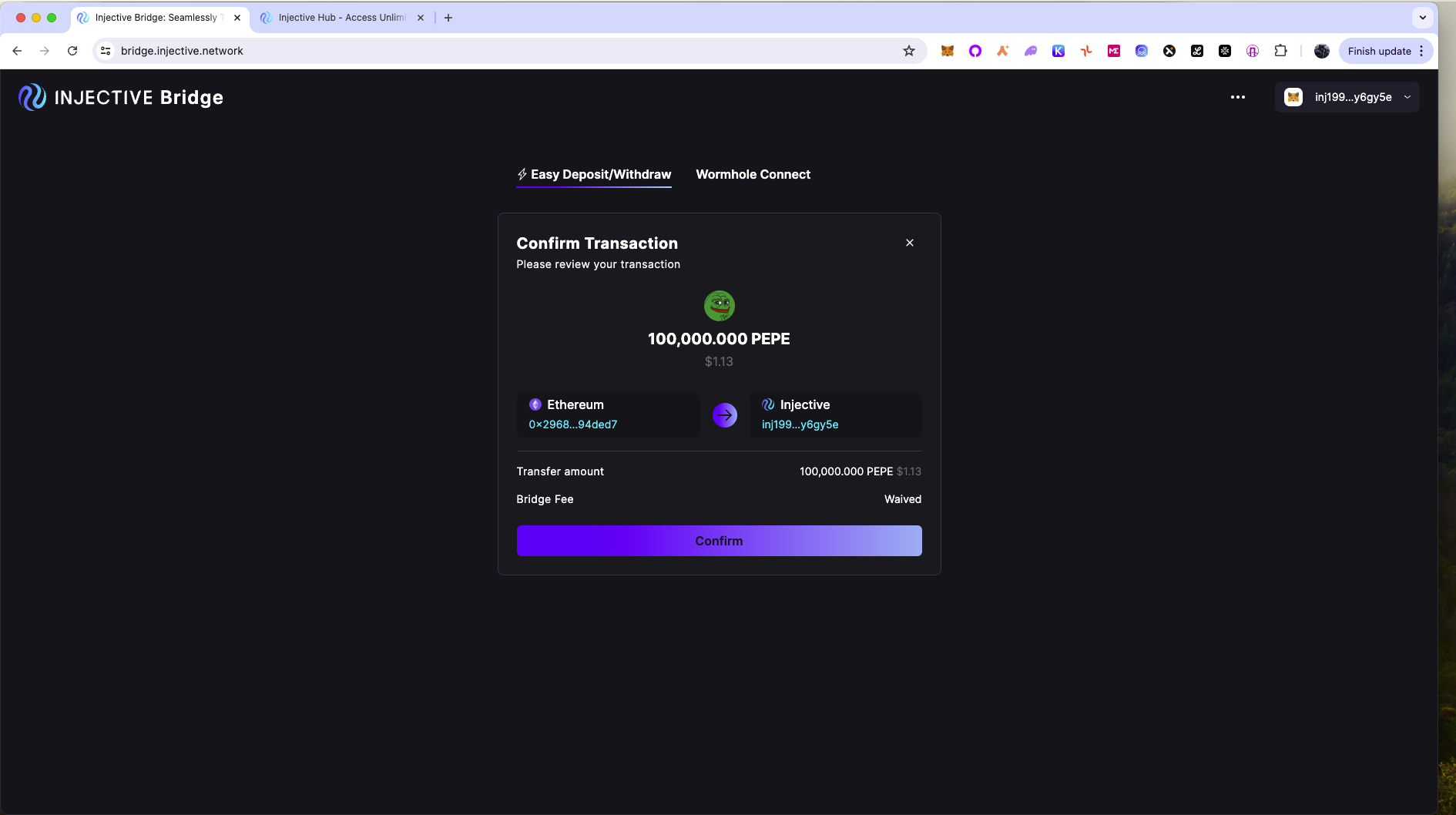 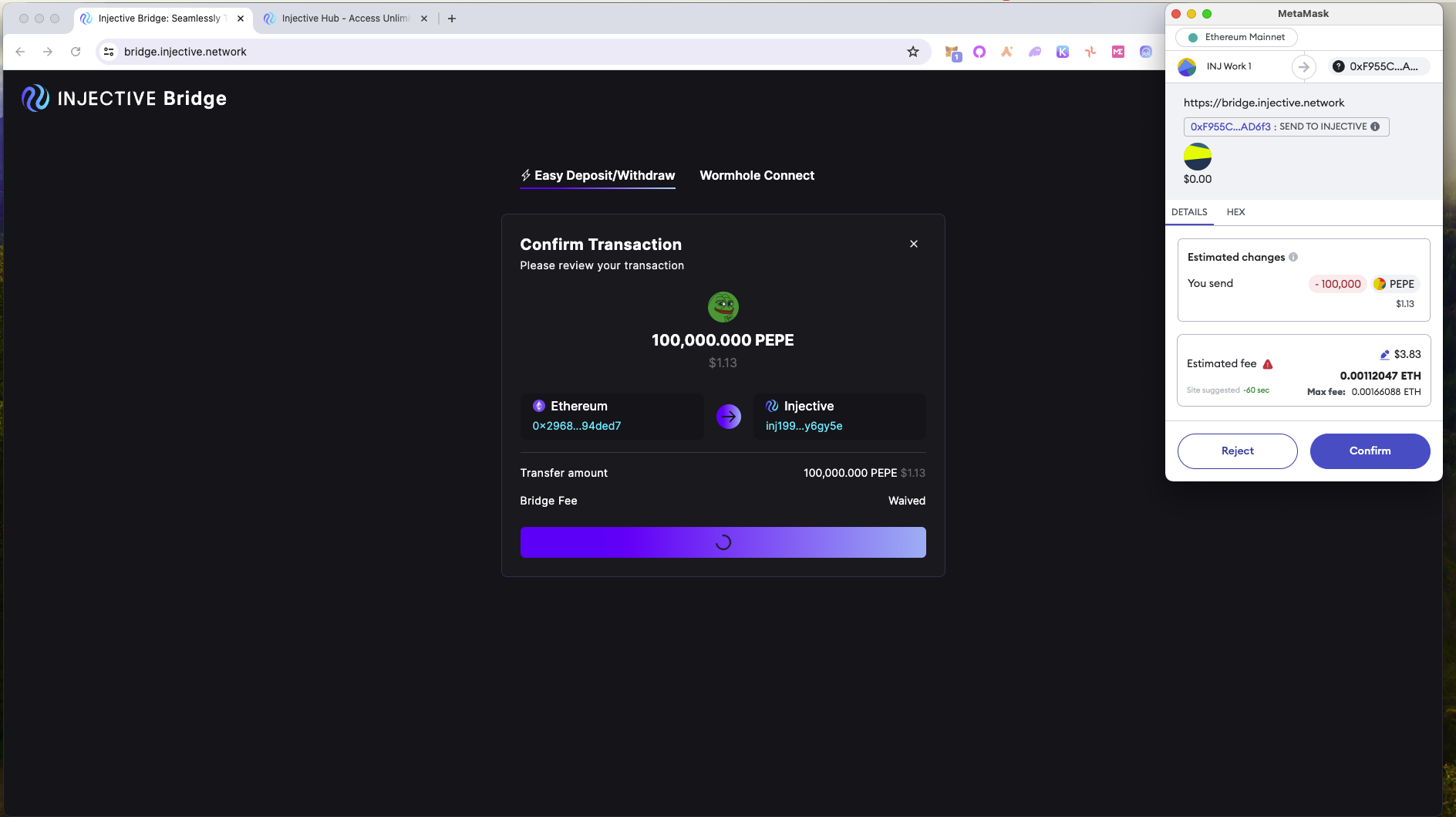
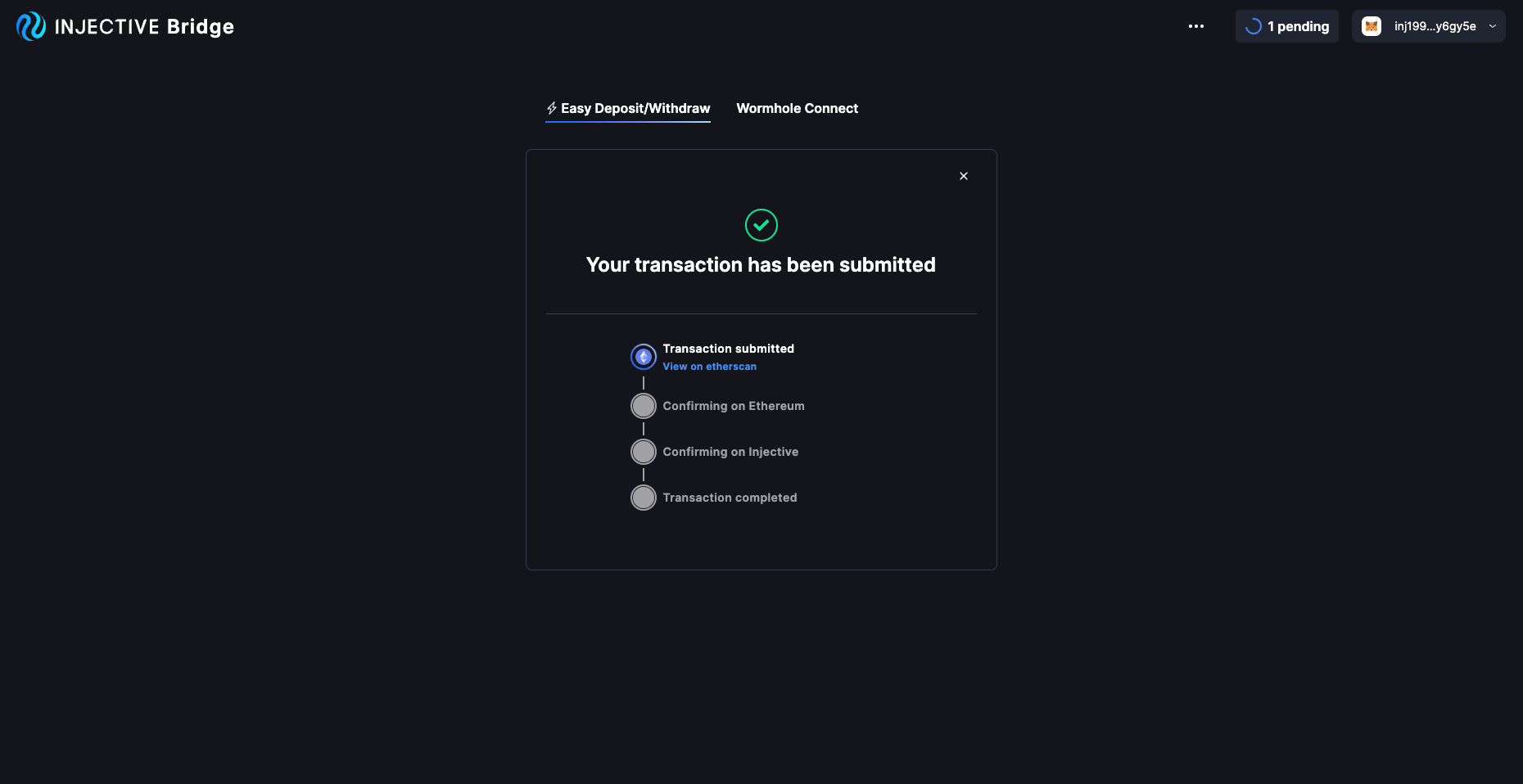
5. approve spendおよびdepositトランザクションがEthereumブロックチェーン上で確定すると、bridgingトランザクションの進捗を確認できます。Injective上でトランザクションが確定すると、bridgeされたERC-20トークンがInjectiveウォレットで利用可能になります。(注: ソースチェーンでMetaMaskを使用した場合、デフォルトではbridgeされたトークンは、MetaMaskに紐付いた `inj` アドレスへ送信されます。これは手順4の冒頭でrecipientアドレスの横にあるロックアイコンをクリックすることで変更できます。)
4. bridgeしたいERC-20トークンの量を入力し、「approve」をクリックしてトランザクションを承認します。続いて「review」をクリックし、トランザクションを承認して待機します。
   
5. approve spendおよびdepositトランザクションがEthereumブロックチェーン上で確定すると、bridgingトランザクションの進捗を確認できます。Injective上でトランザクションが確定すると、bridgeされたERC-20トークンがInjectiveウォレットで利用可能になります。(注: ソースチェーンでMetaMaskを使用した場合、デフォルトではbridgeされたトークンは、MetaMaskに紐付いた `inj` アドレスへ送信されます。これは手順4の冒頭でrecipientアドレスの横にあるロックアイコンをクリックすることで変更できます。)
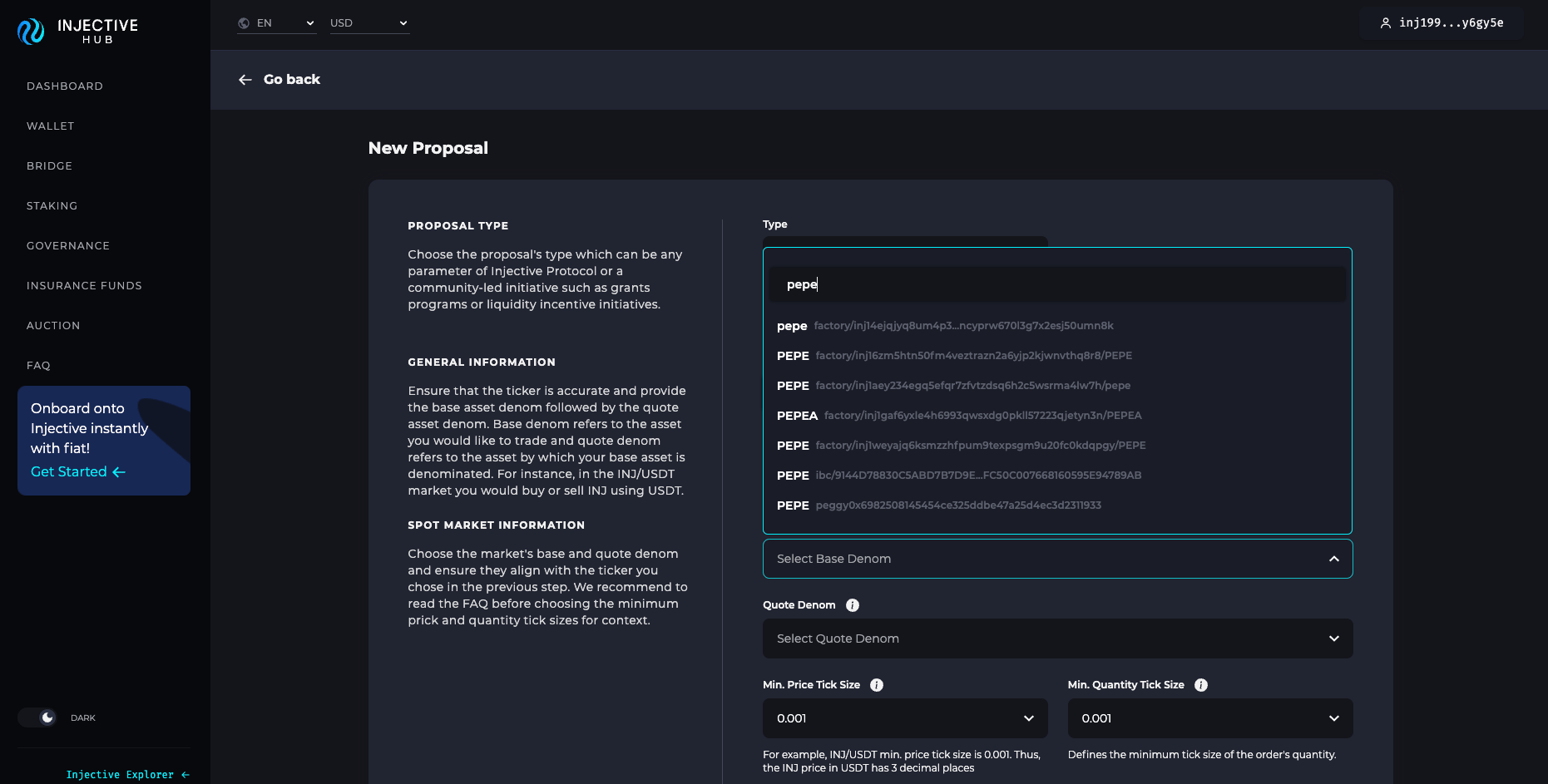
 6. bridgingトランザクションが完了したら、[Injective Hub](https://injhub.com/proposal/create/) にアクセスして、Injective上でパーミッションレスにトークンをリストできます。
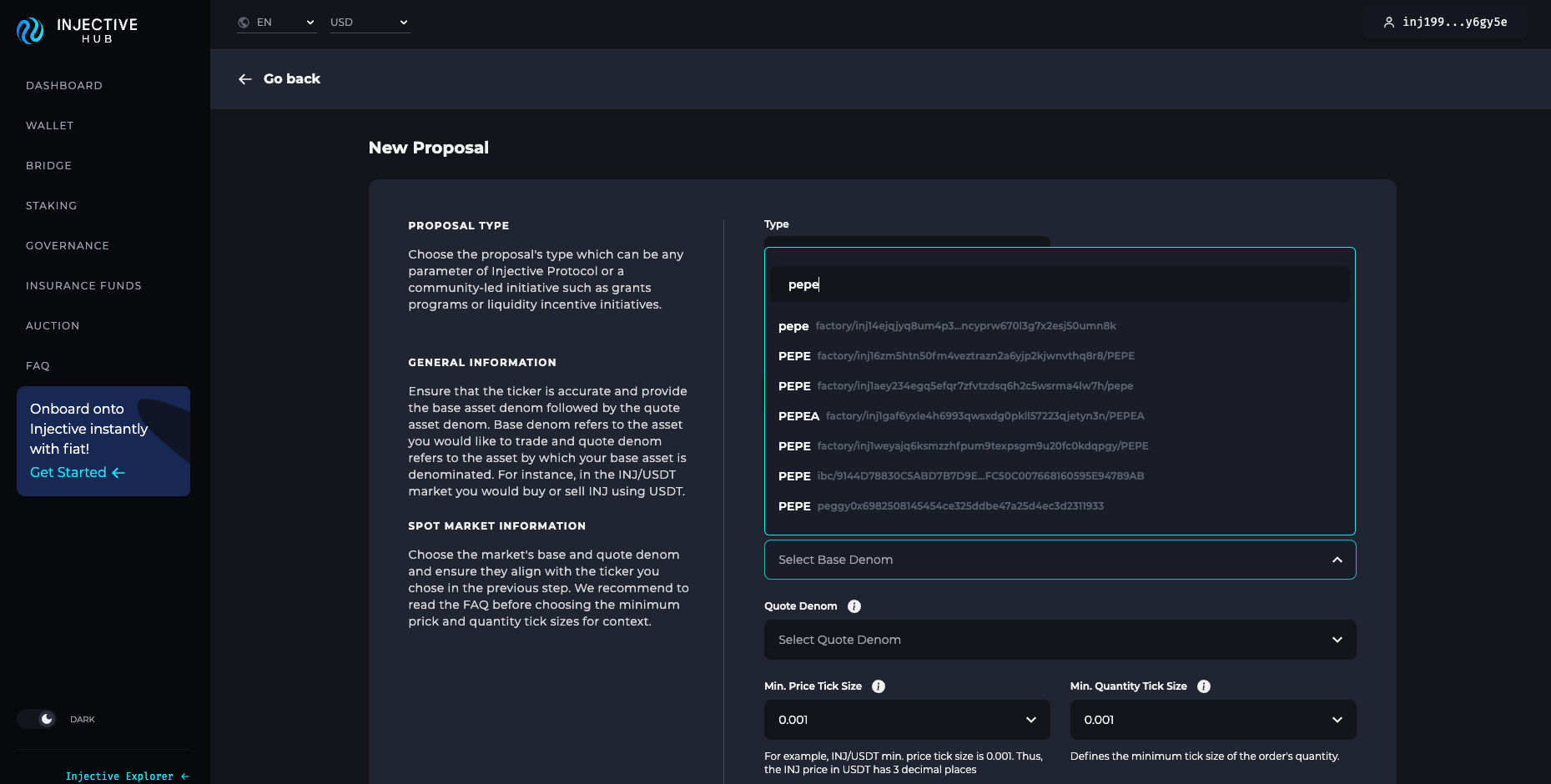
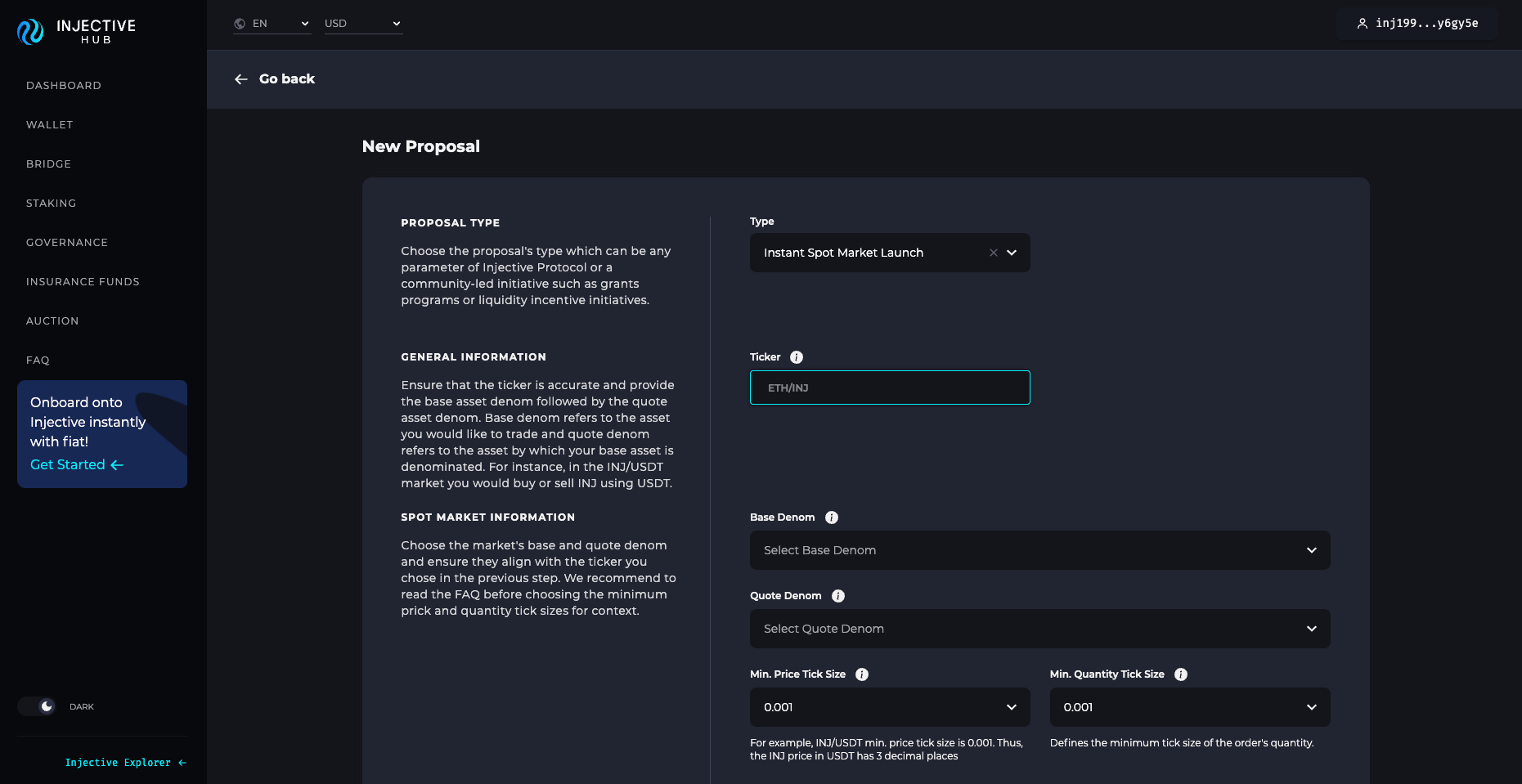 7. 最初のドロップダウンから「instant spot market launch」を選択し、tickerを指定します。この例ではPEPE/INJを使用します。次にドロップダウンからbase tokenを選択します。ただし注意点として、同じtickerを持つ複数のトークンが存在することがあります。常に正しいトークンアドレスと一致するか確認してください。今回の場合、トークンはPeggy bridgeを使ってbridgeされているため、アドレスは「peggy」の後にERC-20コントラクトアドレスが続く形になります。
 8. 続いて、正しいquote denomを選択します。この場合は `inj` です。(注: トークンをUSDTとペアにしたい場合は、「正しい」USDTアドレスを選択してください。これは「peggy」の後にUSDTのERC-20コントラクトアドレスが続く形です。)最後に最小価格tick sizeと最小数量tick sizeを指定します。PEPE/INJはセント未満で取引されるため、最小tickはそれに合わせて設定されます。